FUND005 — Fund Wallets Using Credit or Debit Cards
Last updated: August 26, 2026
Funding your company wallet by credit or debit card is the fastest way to add balance to your Xtrm account, with near-instant availability for immediate disbursement and operational needs.
Available in the USA only.
Prerequisite: Your company account must be approved for Advanced Services.
Transaction details
Processing speed | Instant, for transactions within your instant limit |
Processing fee | 3.4% + $0.25 |
Review window | Up to 12 hours, if the transaction exceeds your instant limit |
How to fund by card
Log in to your Xtrm company account using your admin credentials.
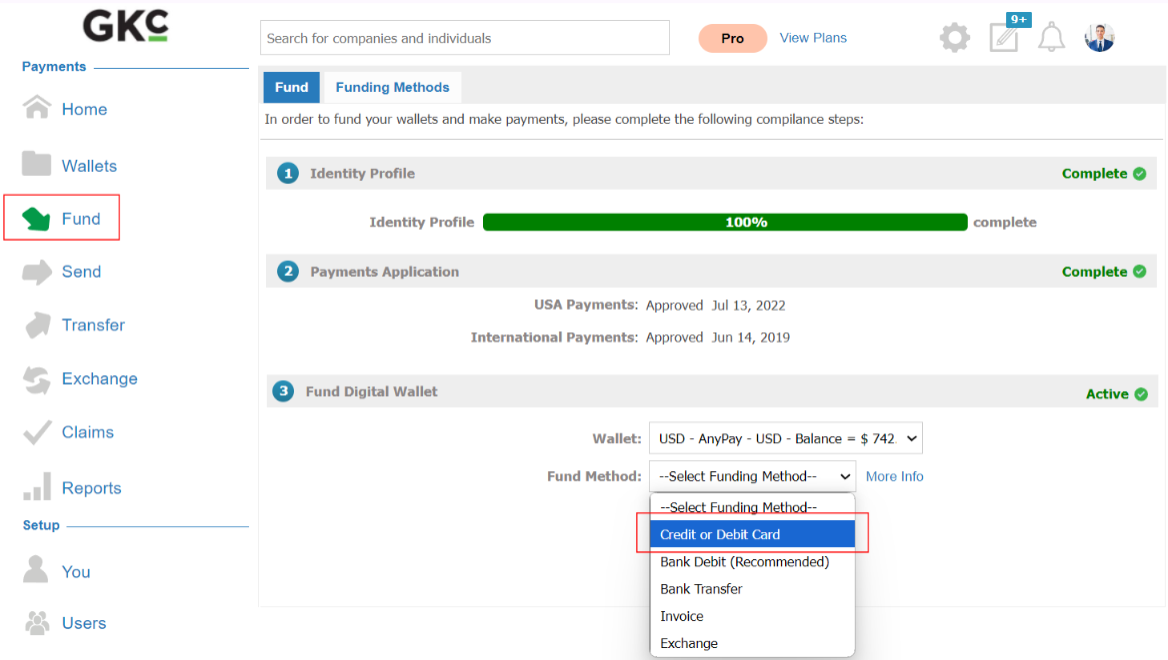
Go to Fund → Credit or Debit Card in the left-hand navigation.
Complete the transaction. Enter your card details, select the target currency wallet, enter the amount, and submit.
Clearing and approval
Depending on your account history and the amount, card funding follows one of two paths:
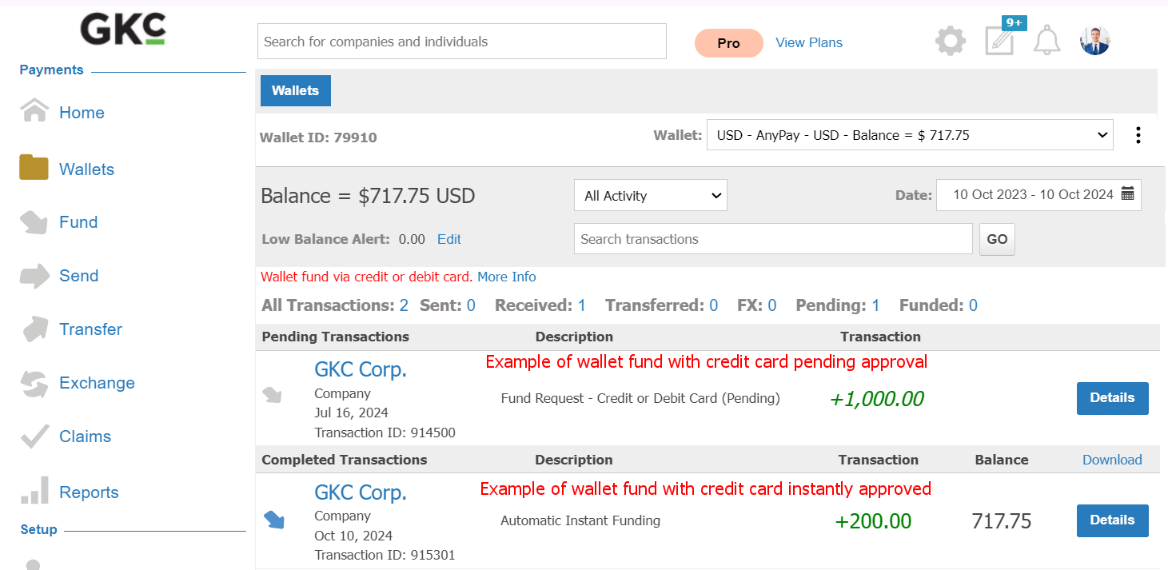
Instant crediting — if the transaction is within your company's instant limit, funds are added to your wallet balance immediately on submission.
Pending verification — if it exceeds your instant limit, the transaction enters Pending status for fraud prevention. Review typically completes within 12 hours, after which the status changes to Completed and administrators are notified by email.
Higher limits
If your operations need a higher card funding threshold, contact support@xtrm.com.