COMPANY029 — How to Restrict Access to the Master Admin Role
Last updated: August 26, 2026
Learn how to customize and restrict specific permissions for the Master Admin role in your Xtrm organization.
Overview
If you need to modify or restrict the default permissions of your account's Master Admin, the Xtrm Support team can configure these settings for you. Each feature or function can be individually set to Enabled (Yes) or Disabled (No) based on your organization’s operational and compliance needs.
How to Request Permission Changes
Review the Permissions List, below: Identify which specific features and capabilities should be enabled or disabled for the Master Admin role from the customizable options below.
Submit a Request to Support: Send an email to support@xtrm.com detailing the exact restrictions or permission toggles you would like applied to your Master Admin account.
Confirmation & Activation:The Xtrm support team will update your organization's permission profile and notify you once the restrictions are active.
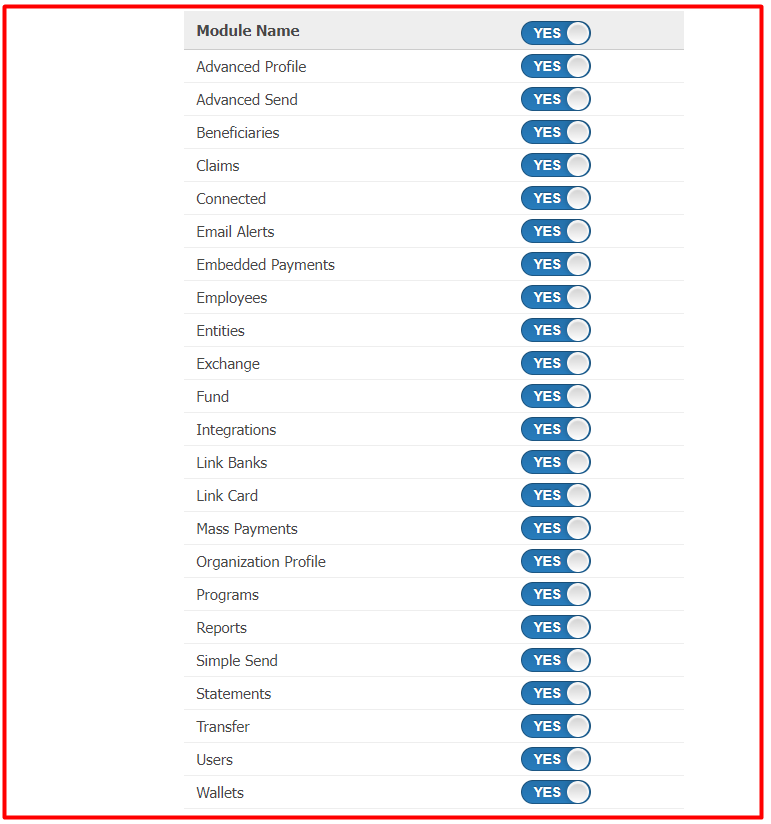
Customizable Master Admin Permissions
The following features and functions can be enabled or disabled for the Master Admin role—
Feature / Capability | Description |
Advanced Profile | Edit or update company advanced profile details |
Advanced Send Feature | Perform wallet-to-wallet transfers |
Beneficiary Details | View beneficiaries of payments |
Claims Payments | View and authorize claims payments |
Connected Contacts | View or update connected company or individual lists |
Email Alert Settings | View and update email notification preferences |
API Details | Access API configuration and integration details |
Employees | View employee records and details |
Entities | View and manage organizational entities |
Currency Exchange | Create currency exchange transactions |
Fund Wallet | Create inbound wallet funding transactions |
Integrations Module | Access and view the integrations portal |
Link Banks | Connect and manage linked bank accounts |
Link Payment Cards | Connect and manage linked credit/debit cards |
Mass Payments | Create and execute mass payment file transfers |
Organization Profile | View and edit organization profile settings |
Programs | View and edit active payment programs |
Reports | View and download system reports |
Simple Send | Create standard wallet-to-wallet payments |
Statements | View and download account statements |
Transfers | Create outbound transfers (banks, prepaid cards, gift cards, checks, etc.) |
User Management | View and manage users and access levels for your organization |
Wallets | View and manage organizational wallets |