API003 — Getting Started in the Xtrm Sandbox
Last updated: September 1, 2026
We've developed the Xtrm API (XAPI) for you to integrate global rewards and payments into your system. This overview gives you an understanding of the types of calls possible with XAPI. You can explore the calls and responses you'll use while integrating XAPI into your site, mobile app, or platform. Don't hesitate to contact us with any questions at apisupport@xtrm.com.
Quick start guide
Follow these steps to get going quickly:
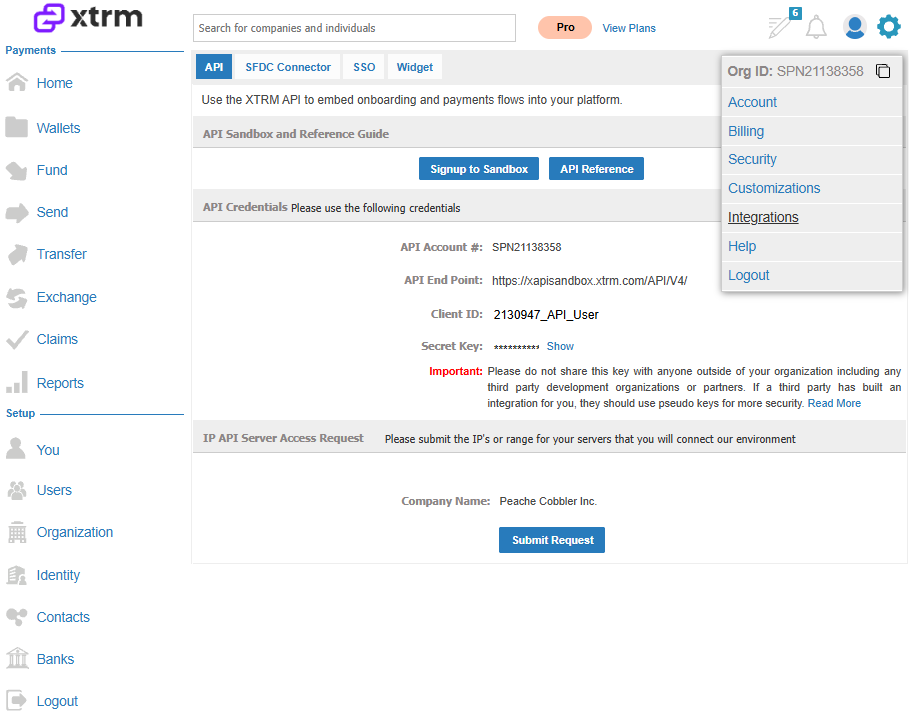
Once logged into the sandbox account, click the ellipsis (three dots) in the top-right corner of the screen, click Integrations, then click Get Credentials.
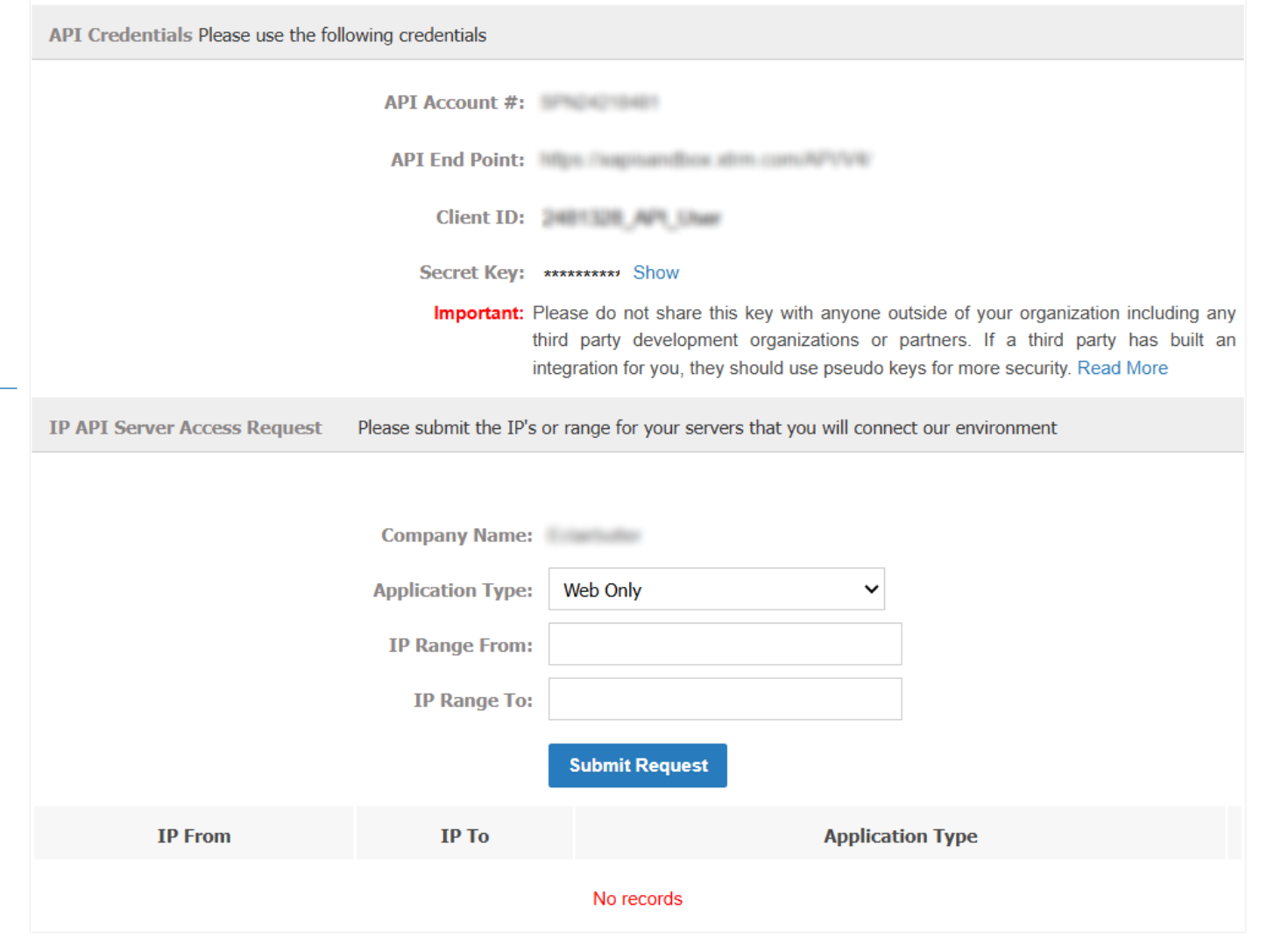
From this screen, you can get your API credentials and request access from whichever server(s) you'll be connecting to the Xtrm API listeners. Once your IPs are approved, we'll fund your sandbox company account with USD and EUR so you can start testing.
Sandbox environment (sandbox.xtrm.com)
The Sandbox environment is a complete replica of the Xtrm production environment, supporting all of the same API endpoints. Applications should be tested against the Sandbox environment before being used in production.
Differences from the production environment
The sandbox contains only test data and is completely separate from your production account.
Actual money is not sent or received as part of test transactions. Real financial data should never be used in the sandbox.
All API endpoints have a base URL of
https://xapisandbox.xtrm.com/API/V4/in sandbox, andhttps://xapi.xtrm.com/API/V4/in production.
Transfer behavior in the sandbox
The Sandbox environment does not actually make any payments, so a pending transfer will not clear or fail automatically after a few business days as it would in production — it simply remains pending indefinitely.
Once your IPs are approved, we'll add $250 USD and €250 EUR to two digital wallets in your account.
You can jump straight into the API docs.
You can jump straight into the API docs.