CONMANAGER010 — Submit Advanced Profile for Connected Company
Last updated: August 18, 2026
The Manager feature allows you to submit an Advanced Services Application on behalf of your connected (customer) companies, enabling them to access enhanced services.
Note: Advanced services are required for connected companies to access features such as payment remittance. Identity profile must be 100% complete before submitting the Advanced Services Application.
Steps to Submit an Advanced Services Application
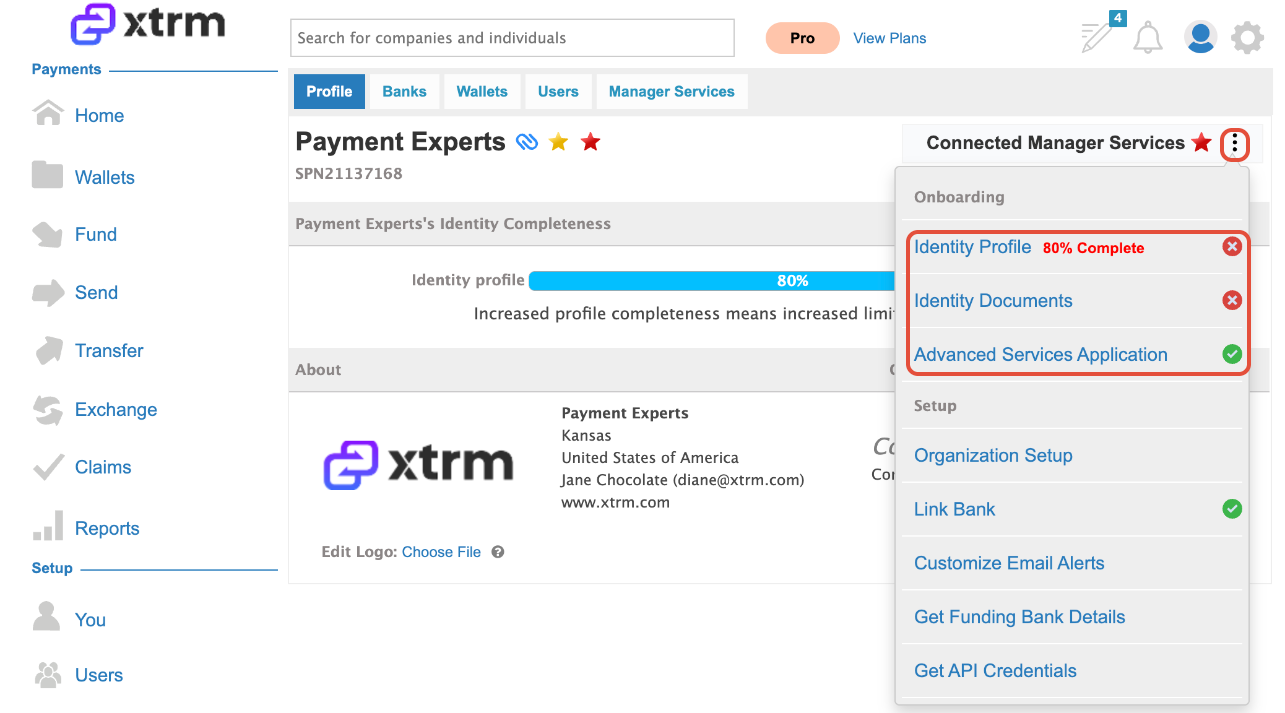
1. Search for the connected company (customer).
- Locate the company name and click on Connected Manager Services.
2. Complete the Identity Profile
As a Connected Manager, you can upload documents and complete the Identity Profile via self-serve
The Identity Profile must be 100% complete before proceeding.
For guidance on completing the Identity Profile, please refer to More Information.
3. Submit the Advanced Services Application
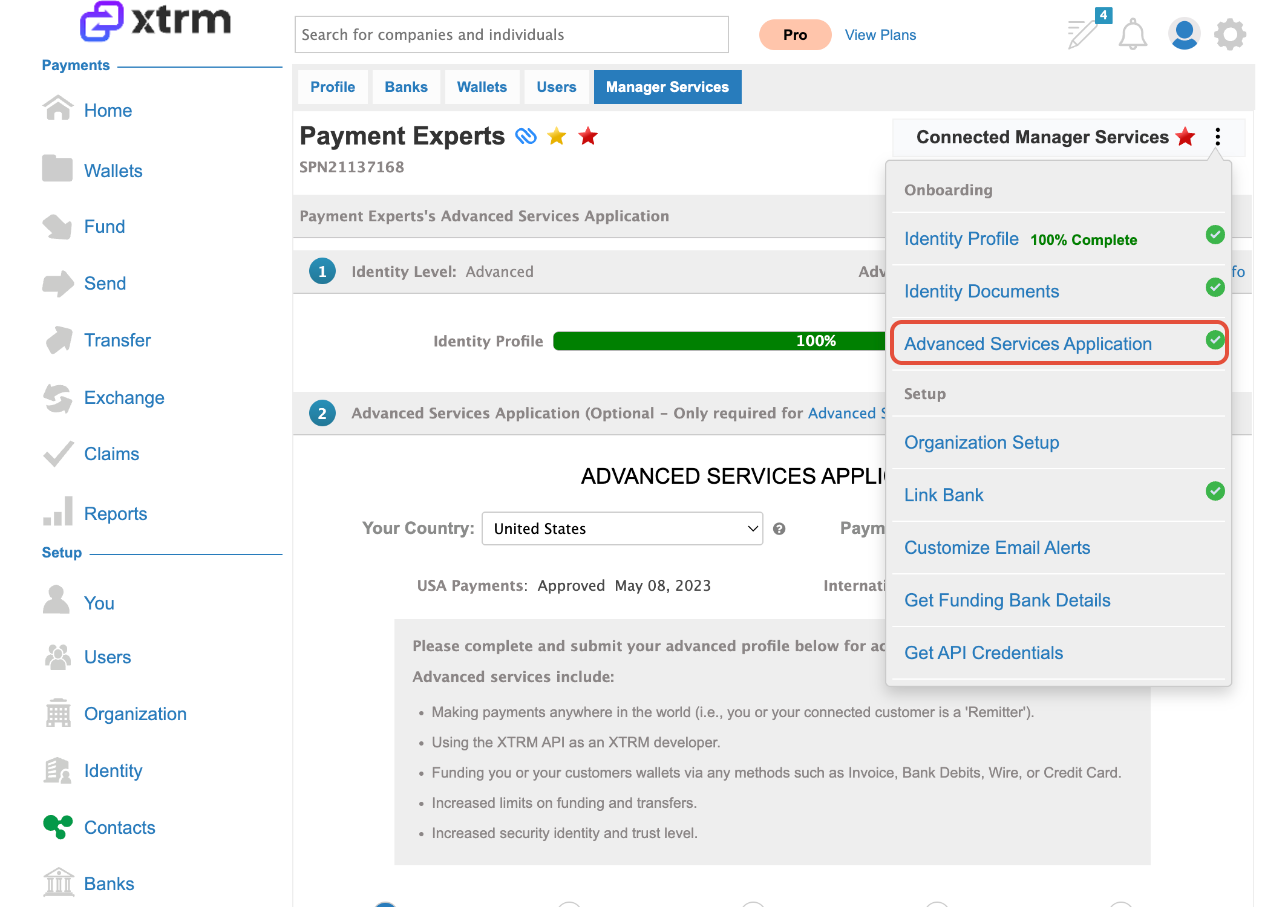
Open the Manager Services drop-down menu.
Select Advanced Services Application.
Complete and submit the application on behalf of the connected company.
For detailed instructions on completing and submitting the Advanced Services Application, please refer to More Information.