CONMANAGER015 - Create connected company fund request
Last updated: August 18, 2026
The Manager Services feature allows you to issue a pending fund notification to XTRM on behalf of your connected contacts (partners). Follow these steps to initiate a fund notification for a connected company's wallet.
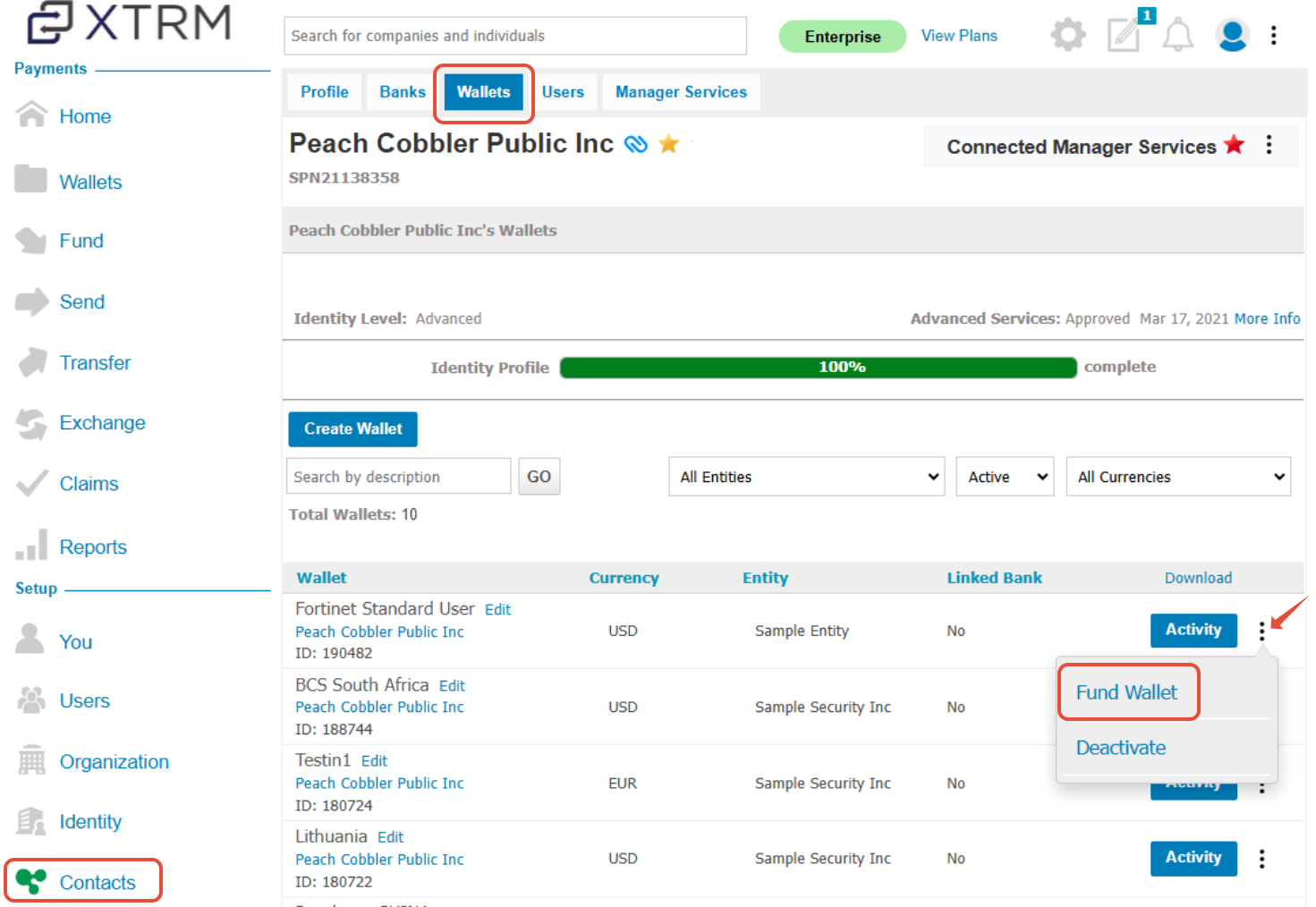
- From Contacts on the left-hand menu, select the company (partner) you wish to fund.
- Click the Wallet link.
- Locate the wallet to fund, click the ellipsis (⋮) icon, and
- Select Fund Wallet.
This will send a pending fund notification to XTRM on behalf of your connected contact.
5. Complete funding details for your connected company (customer)