SECURITY012 — Company Account Limits
Last updated: September 1, 2026
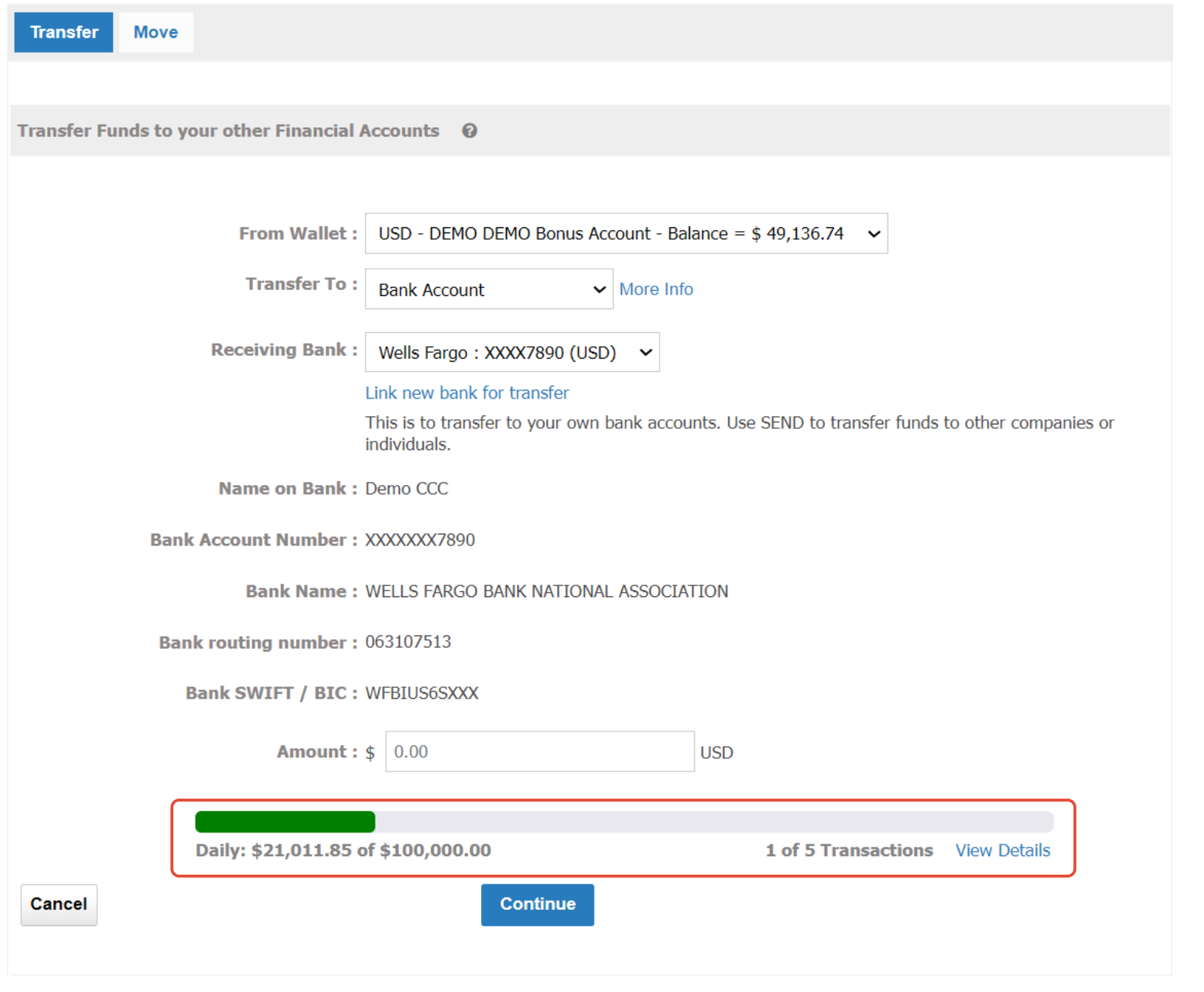
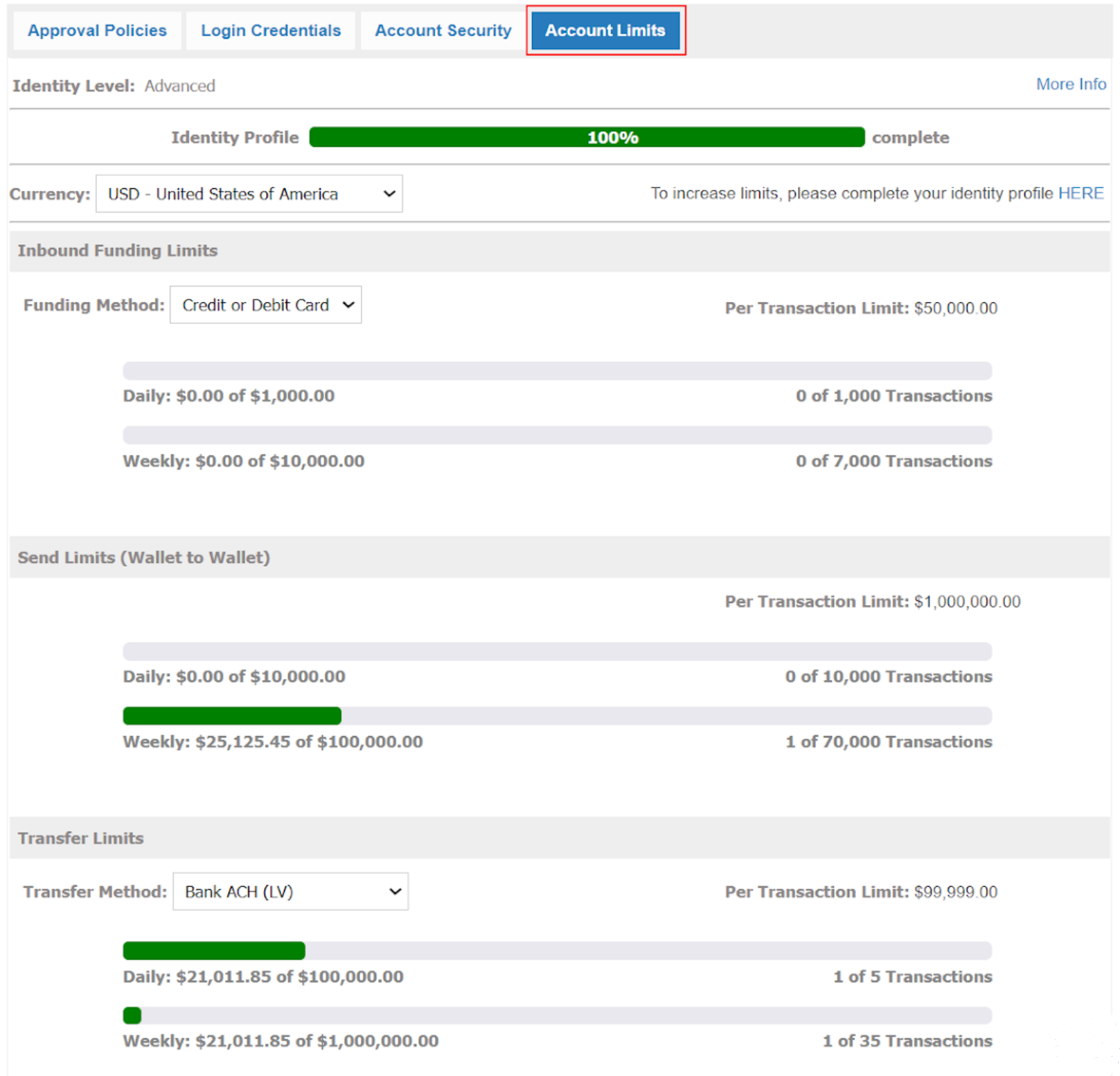
Xtrm now provides an easy way to view your daily and weekly transaction limits directly on your account screen. These limits are based on the completeness of your identity profile. See Understanding Identity Levels and Limits for Companies (IDL) for details.
How to check your daily and weekly limits
Navigate to your Xtrm account page.
Click the Settings Icon in the top-right corner.
Click Security, then select Account Limits.This feature will show you your company's specific limits and the number of transactions allowed per day and week.
Transfer example: shows your daily limit at the moment you initiate a transfer.