COMPLIANCE001 — Understanding identity levels and limits for companies - IDL
Last updated: September 1, 2026
Xtrm has four distinct identity levels based on the completeness of your company identity profile. If you want to apply for Advanced Services to fund your account and send payments, make sure your identity profile is completed to 100%.
The master admin and controller users can increase the IDL for the global organization. However, only the master admin can get the identity profile to 100% (green). The master admin should complete the identity profile using the Primary Entity details (rather than a regional office/entity's details) — increasing the organization's identity level increases the fund, send, and transfer limits for all regions and users. Managers and standard users can complete their profile for their regional office or regional legal entity (subsidiary), but this does not contribute toward global compliance.
Identity levels
Identity level | Description | Profile completeness | Requirements |
|---|---|---|---|
Draft | Account creation initiated | 🔴 Red | Email address |
Basic | Receive payments. Limited transfer limits. | 🔵 Blue | Draft + first and last name and company name |
Standard | Receive payments. Increased transfer limits. | 🟠 Orange | Basic + business address |
Advanced | Receive and make payments. High-volume payments and FX. | 🟢 Green | Standard + business tax ID # including uploads of a government photo ID and business tax document. A utility bill and/or bank statement may be requested in certain circumstances. |
Identity levels are displayed to company users in their profiles and settings. Each profile field with an X or checkmark icon indicates whether it's completed, contributing to overall profile completeness.
An increased Identity Level (IDL) will enhance your fund, send, and transfer limits. It does not, however, impact your ability to receive payments into your wallet.
How to complete your organization's Identity Level (IDL)
Select Identity on the left-hand menu and complete all three sections using the Update button until each is marked Complete.
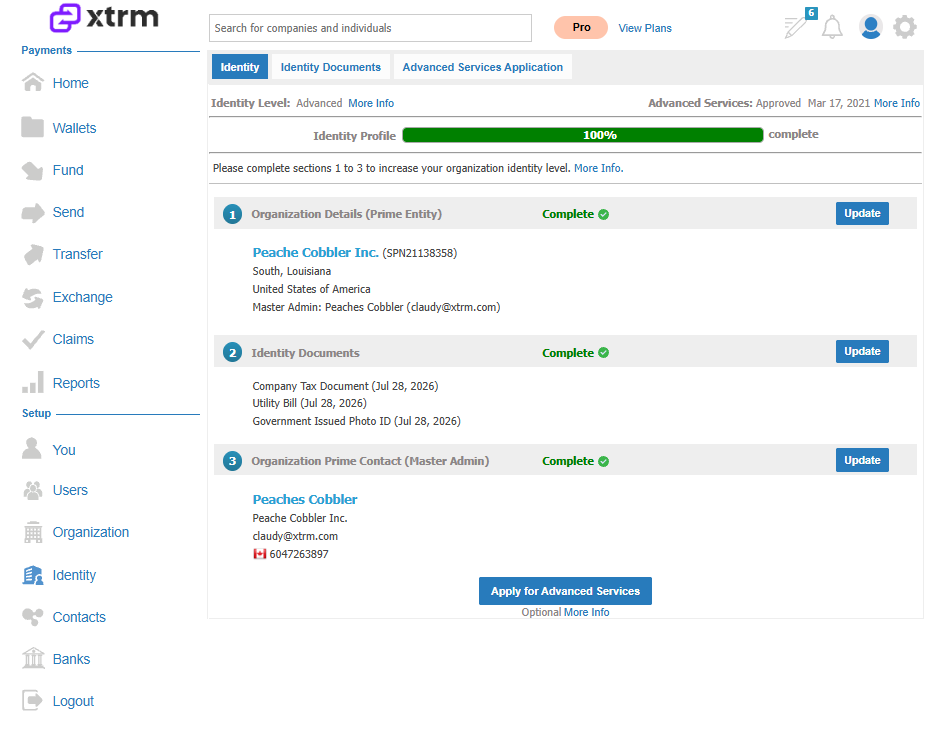
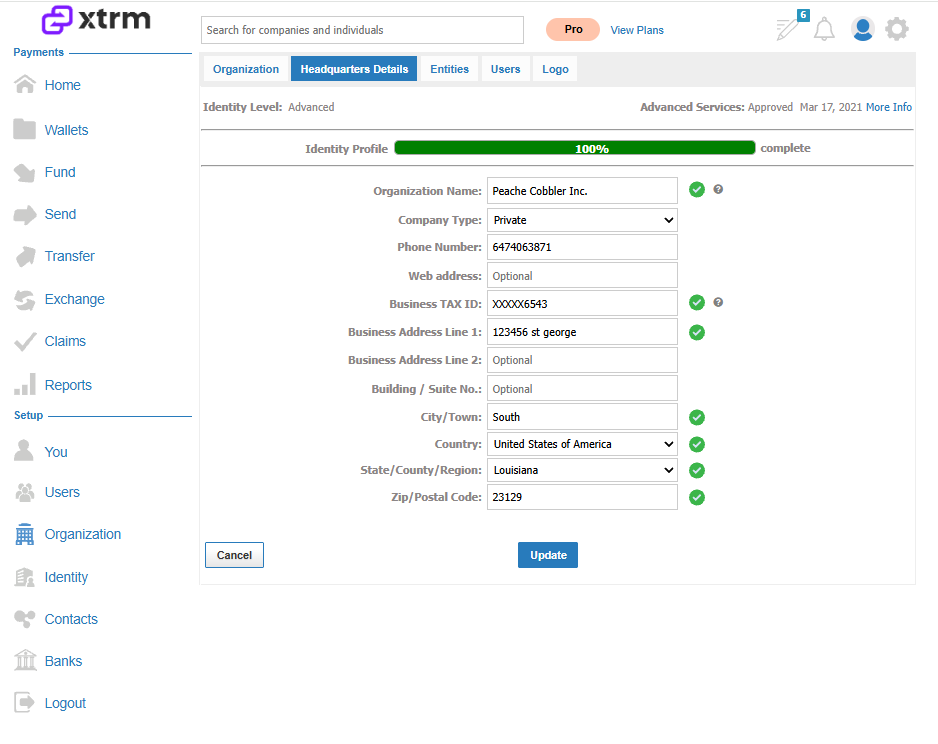
Complete all fields for Headquarters Details.
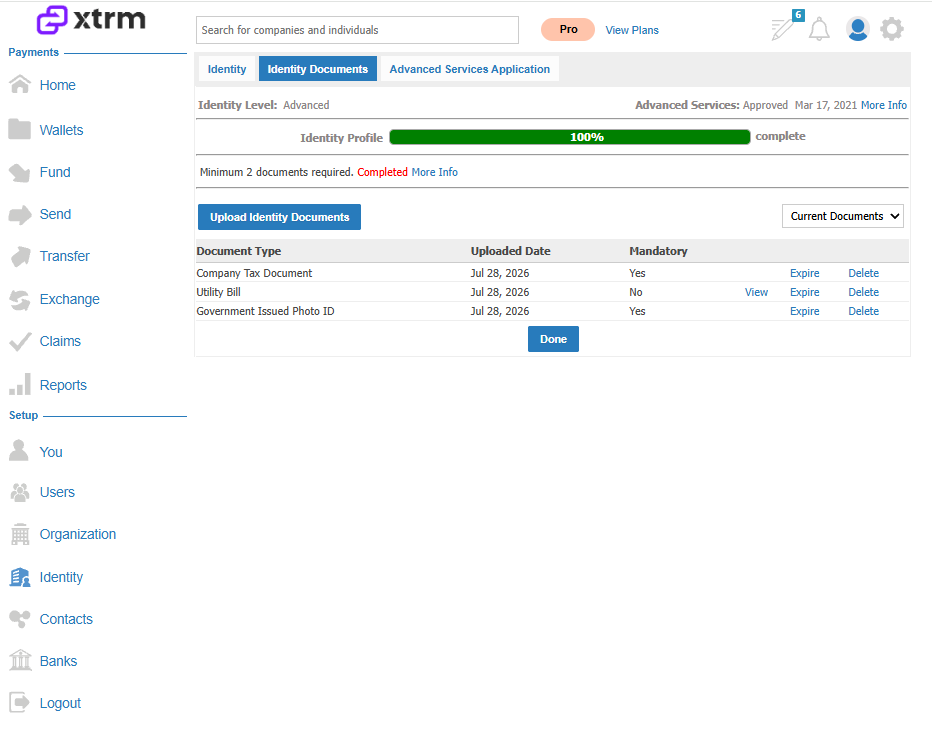
Upload the required identity documents (see Uploading Identity Documents for step-by-step guidance):
Government Photo Identification — to identify the account administrator through Persona (mandatory).
Company Tax Document — to identify the company through Persona (mandatory for private companies).
Requesting limits beyond the Advanced default
Once your profile is 100% complete and your identity level is set to Advanced, you can request higher-than-default limits by emailing us at compliance@xtrm.com. See Understanding and Applying for Advanced Services for more on this process.
Note: These are global banking requirements that all financial institutions must adhere to. We collect both authorized-person and company information for anti-fraud purposes. We fully understand, respect, and adhere to all global privacy regulations, and we don't share information, per our Privacy Policy.