USER028 — Personal Accounts: How Do I Transfer Funds to a Digital Gift Card?
Last updated: August 18, 2026
Overview
Redeeming wallet funds for a Digital Gift Card is one of the fastest ways to access your earnings, incentives, or rewards. Gift cards are issued instantly online and can be redeemed at a wide variety of popular global and national retailers.
Prerequisites Before Transferring
Verified Account: Ensure your personal profile is completed to 100% to fulfill compliance standards.
Sufficient Balance: Confirm your wallet balance covers the total gift card value selected.
Check Approved Brands: Gift card availability varies by currency and geographic region.
Want to see how this works in real-time? Use the interactive demo below to click through the steps before reading the full guide.
Step-by-Step Instructions
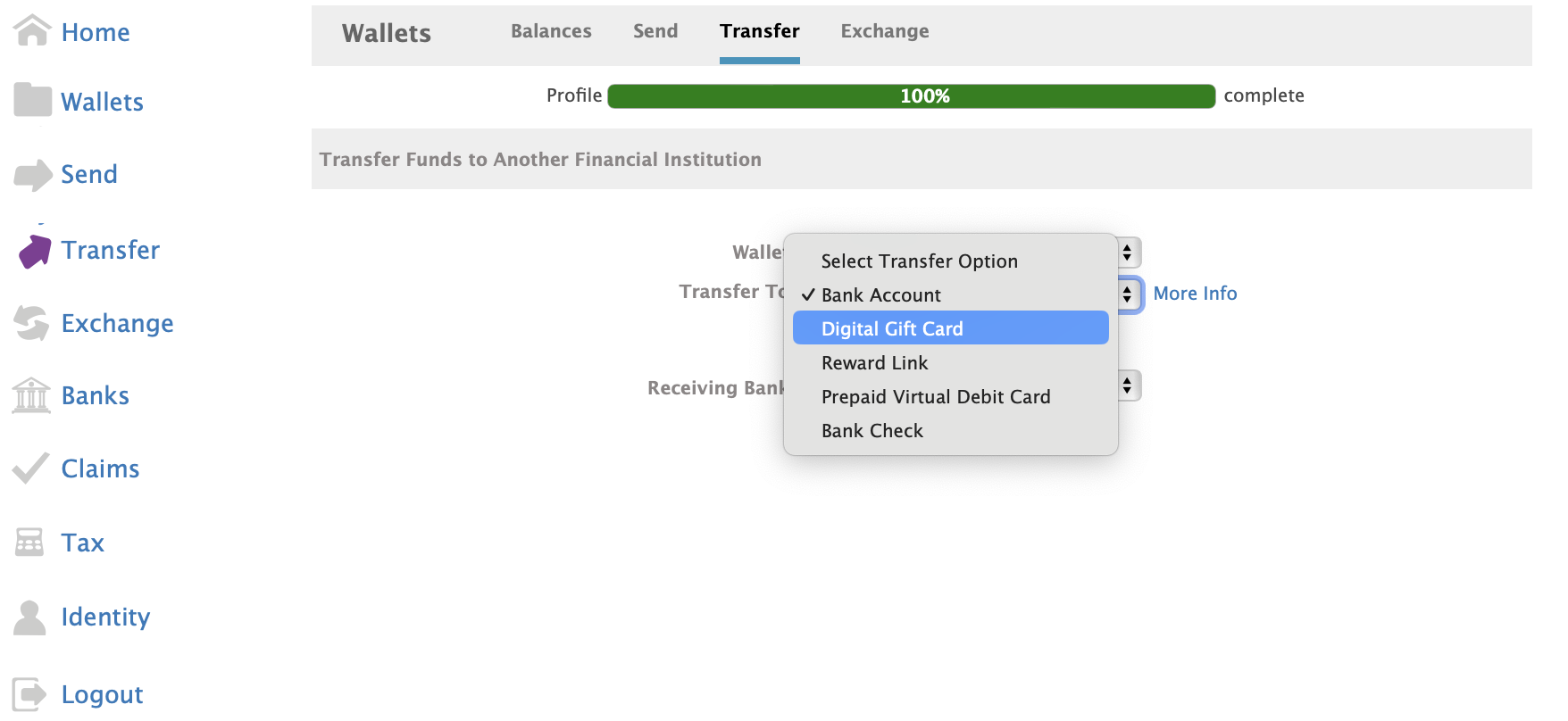
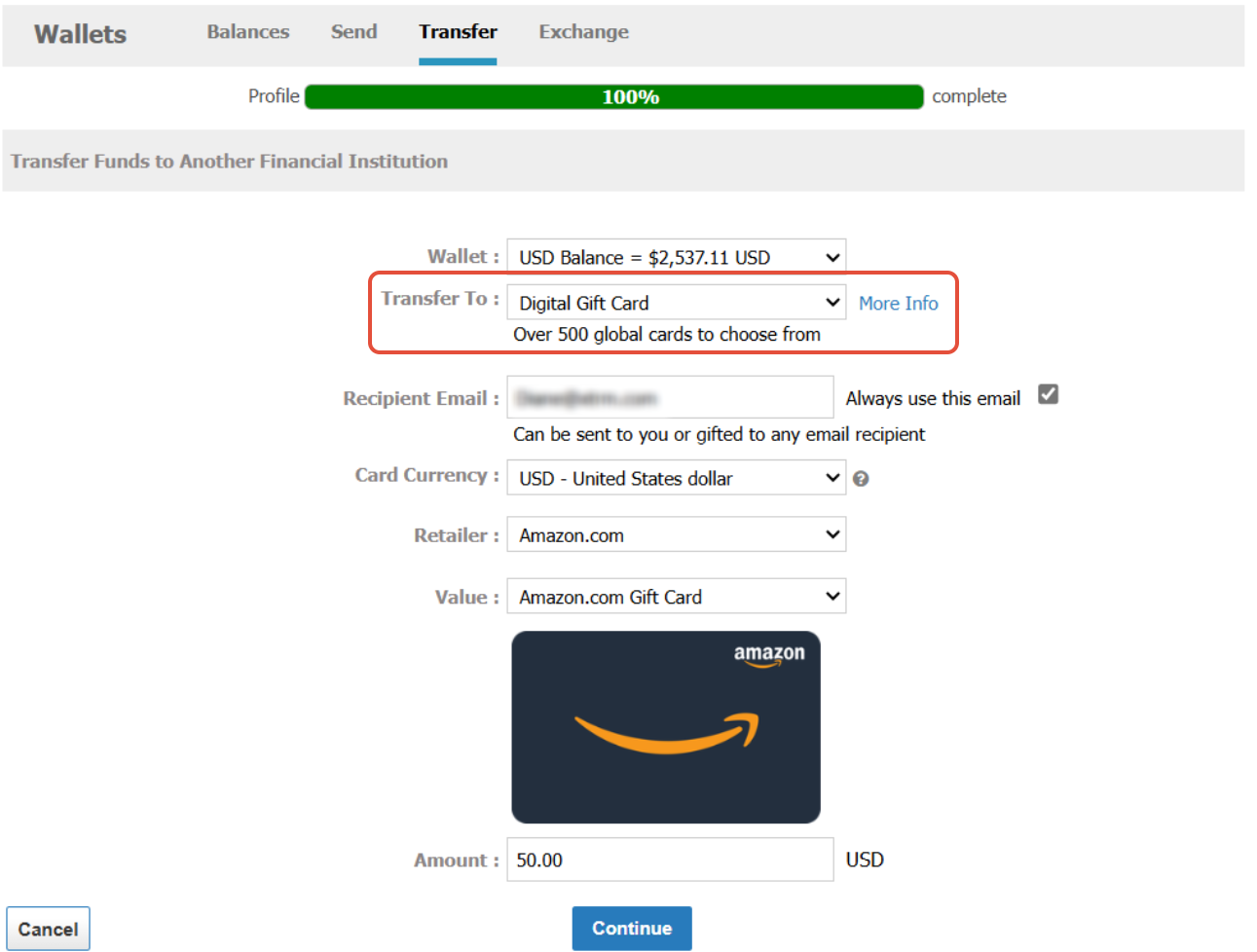
Input the specific amount you wish to convert into a gift card, then click Continue.
Double-check the selected merchant, currency, and value amount, then click Confirm or Submit.
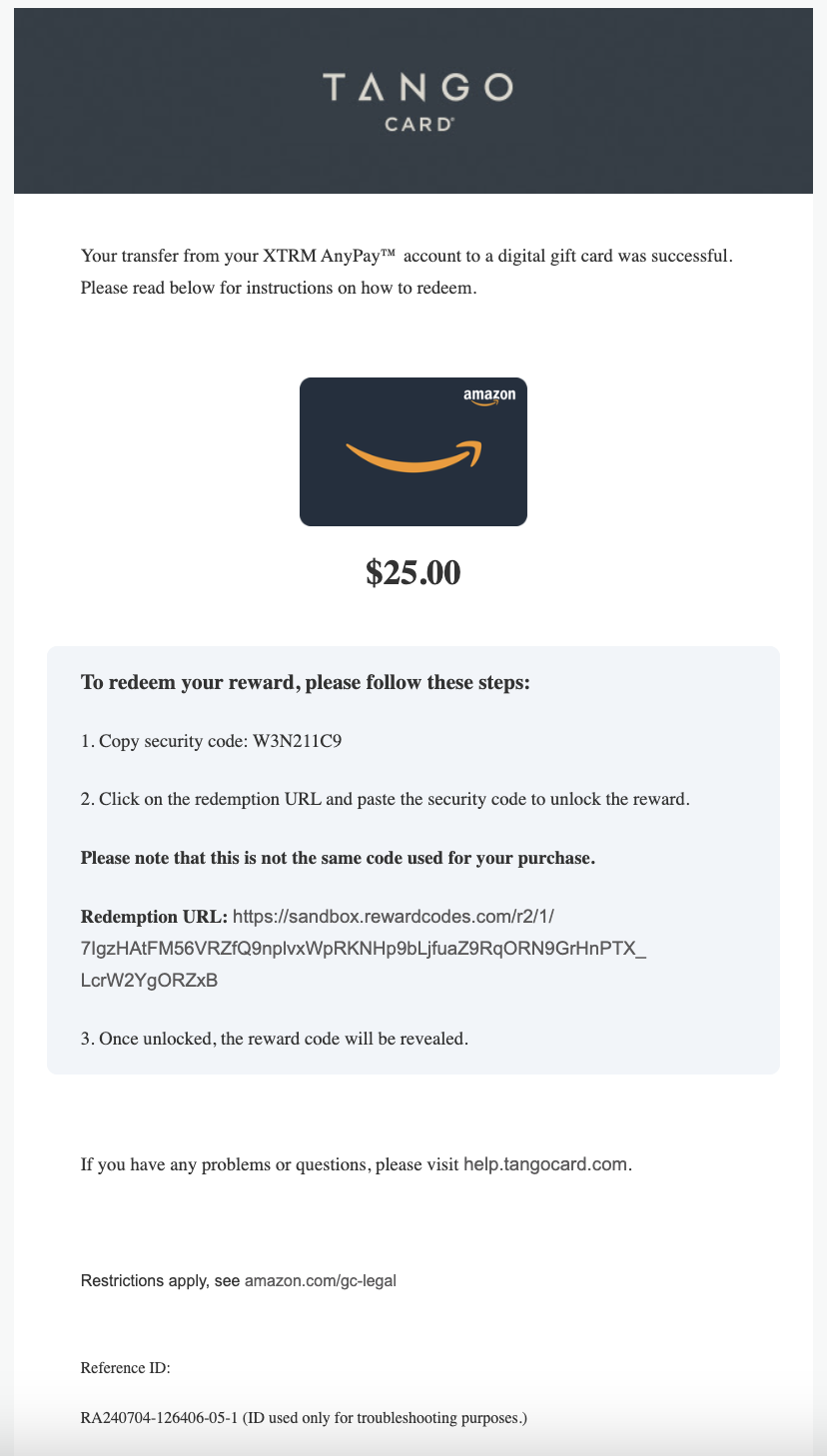
Upon confirmation, your digital gift card claim code or link will display on-screen immediately, and a confirmation email will be sent to your registered email address.
Example Email Notification
- Subject Line: Your Amazon.com Gift Card is Here!
Key Things to Know
Instant Delivery: Digital gift card codes are generated immediately upon confirmation.
No Cancellation or Refunds: Once issued, digital gift card redemptions are final and cannot be cancelled or returned to your wallet.
Missing Gift Card Emails: If you do not see the claim email in your inbox, check your spam/junk folder or view the transaction details directly under Activity in your Xtrm account.